
Writing a news post for your blog or news reel
Task 1
Read through the news section of this Sported network group: Abraham Moss Warriors
and take a look at Sport England's news section
Choose one of these to review to answer these questions
Q1. What do you think might be the strengths and weaknesses of this news section?

Q2. Which news titles or topics are the most appealing to you, and why?
Q3. Please find and read at least two news posts. Which posts did you read, and what did you think about them?
Q4. If you were invited to write a news post for this website, what would you write about and why?
Task 2
Now write your own news post for your organisation.
Consider the two news sections you reviewed for Task 1, consider your audience as well as the time commitment you'd be able to give a news section.
You can go for breadth including several linked news stories in light detail, or for depth focussing on a single story.
Demonstrate originality - include details from a range of sources, e.g. quotes from people who were involved in delivering or benefitting from a service from your group. You could also link to outside news sources.
Pictures - include at least one image for the story. Stock images are not a good idea - showcase your group's activities by using original images. Do ensure you have permission to use any pictures of people.
Use a catchy and engaging headline / title to draw in your readers. This can also be the subject header in any email you send out.
Length - the two examples have very different content lengths. Consider what you'd be able to create on a regular basis and write something that would be on the longer side of your typical post.
Top tips
- make it your own
- read up on guides for Facebook posts: 62 Creative & Engaging Facebook Post Ideas (+Examples!)
- ensure you have photo permissions in place before key events
- have a couple of people taking photos on their phones so you will have content
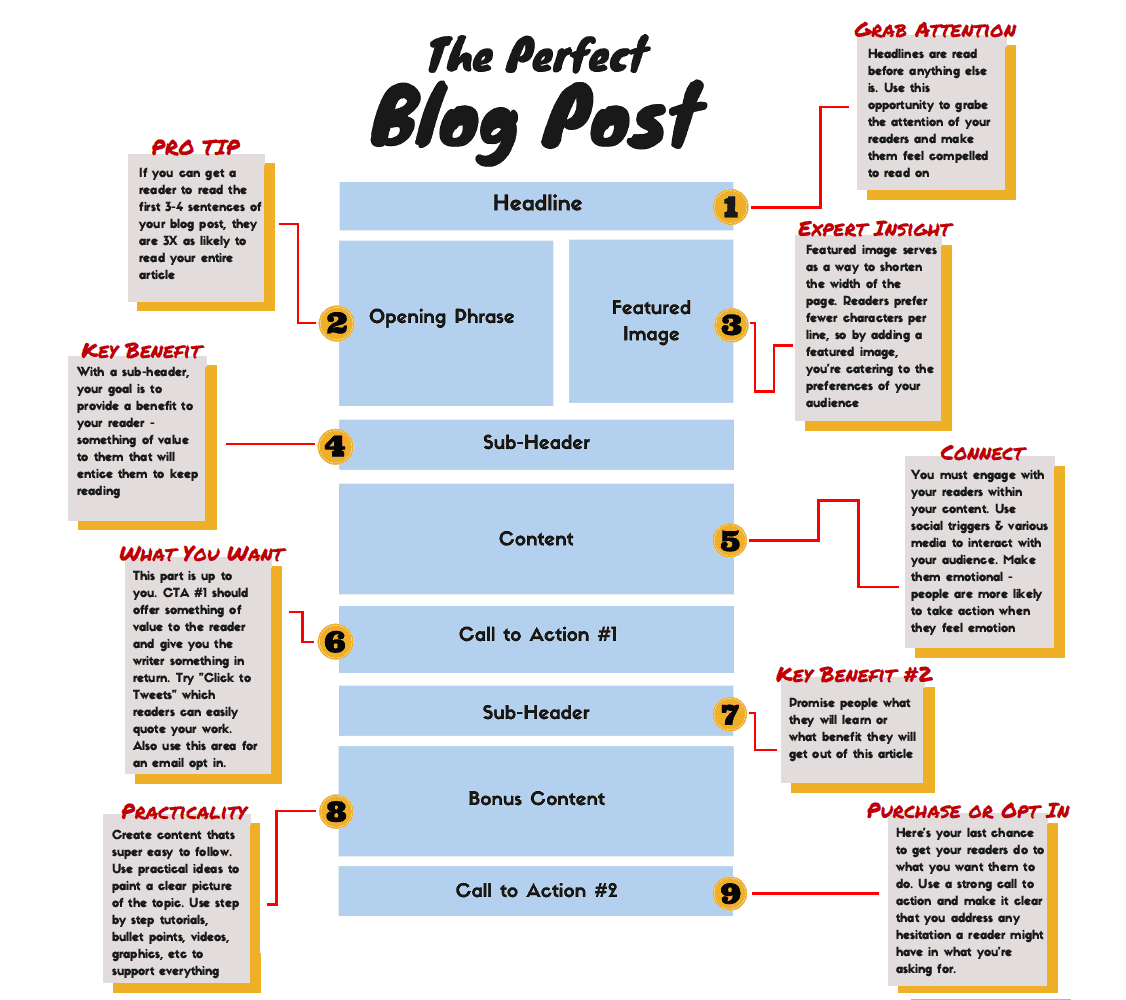
- use a writing frame to guide you, this example from How To Create Amazing Blog Content With Ease - DataViking is short and simple. Or download this longer version from Bright Inbound Marketing.
How did you do?
Have someone else look over your post, what do they like and what could be better?
You can use this scoring sheet to guide your review.
Where to look for more information
Charity Digital - Topics - Five tips for creating a great charity website
Top tips to improve your charity’s website
13 Modern Accessible Website Examples to Inspire You - a blog post looking at making your website accessible